> ## Documentation Index
> Fetch the complete documentation index at: https://bruno-a6972042-mintlify-c74cb75a.mintlify.site/llms.txt
> Use this file to discover all available pages before exploring further.
# Adding Azure Secret Manager
You can configure Azure Key Vault as a secret provider in Bruno using two authentication methods:
* Manual Authentication
* Azure CLI Authentication
### Manual Authentication
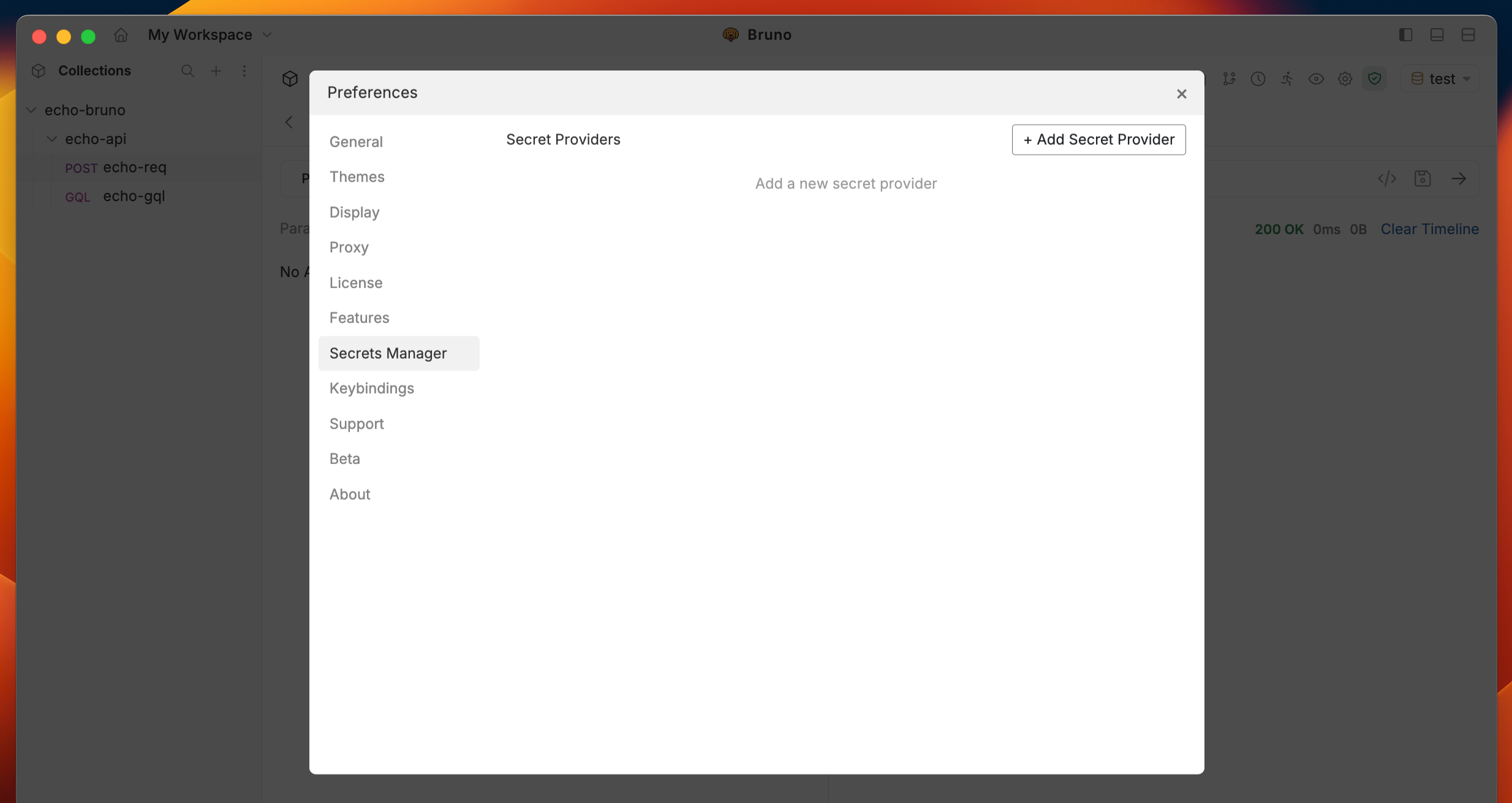
1. Go to the **Preferences** settings and navigate to the **Secrets Manager** section.
2. Click on the `+ Add Secret Provider` button.
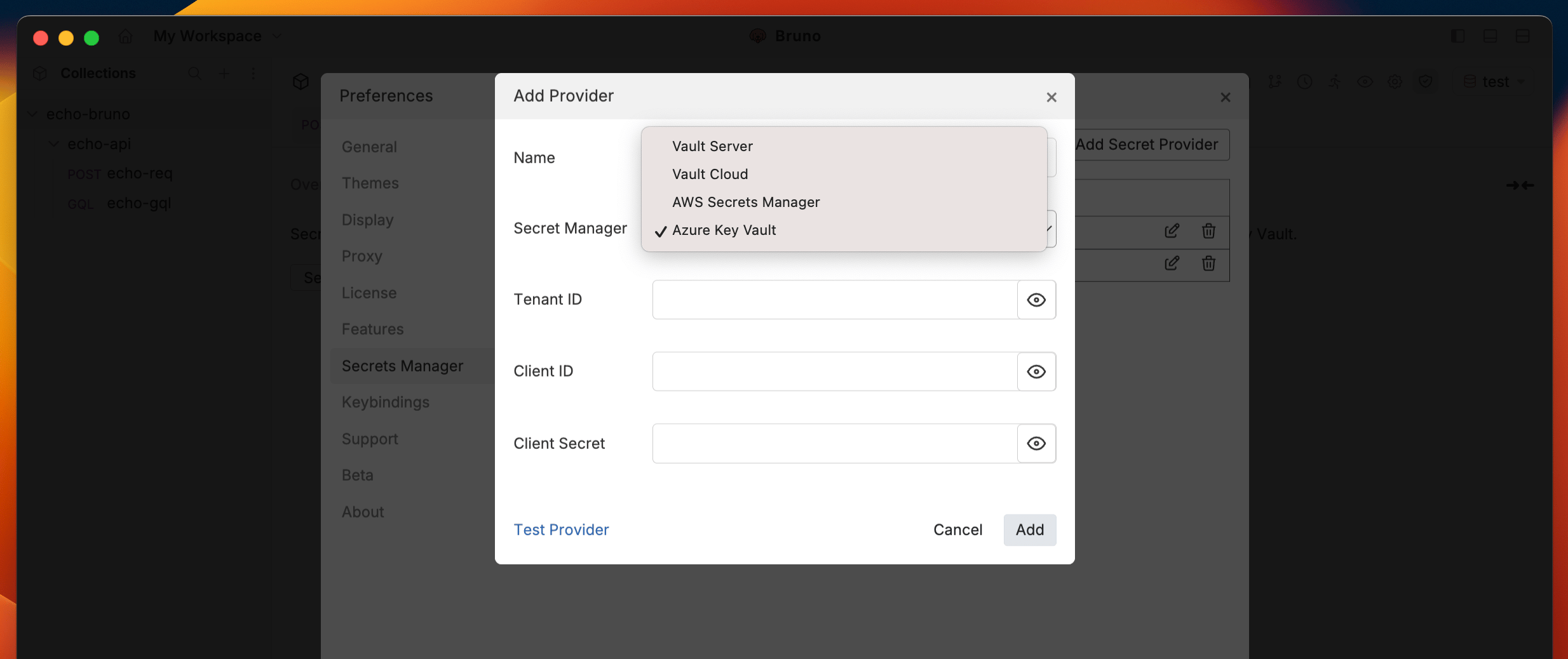
 3. Choose **Azure Key Vault** as the provider type.
 4. Provide the required credentials, including:
* **Tenant ID** : The Azure Active Directory (AAD) tenant ID.
* **Client ID** : The Azure Active Directory (AAD) client ID.
* **Client Secret** : The Azure Active Directory (AAD) client secret.
4. Provide the required credentials, including:
* **Tenant ID** : The Azure Active Directory (AAD) tenant ID.
* **Client ID** : The Azure Active Directory (AAD) client ID.
* **Client Secret** : The Azure Active Directory (AAD) client secret.
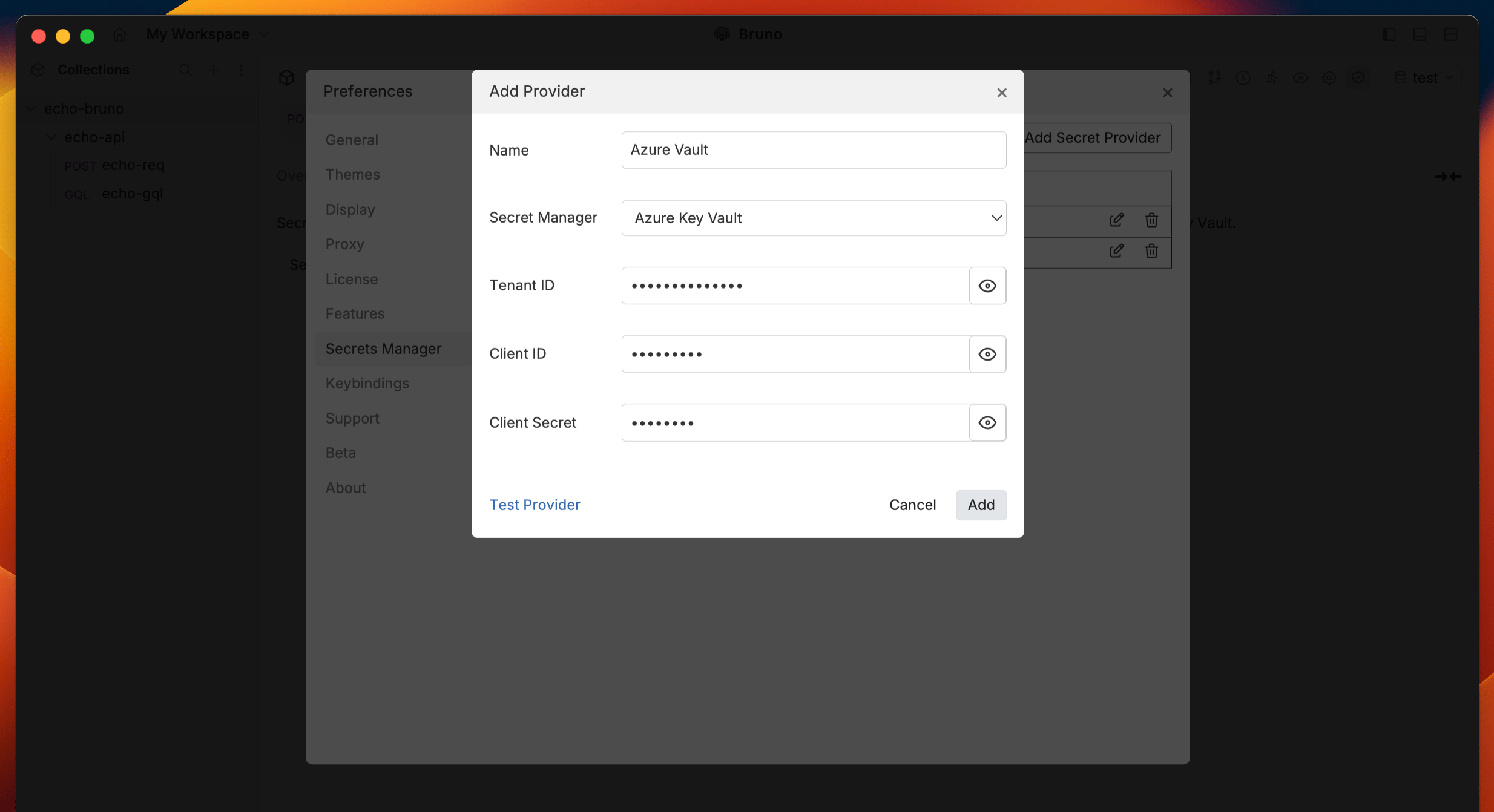 5. Use the `Test Provider` feature to verify your connection.
6. Click `Add` to save the secret provider configuration.
For **Azure CLI authentication**, see the [Azure CLI Authentication](/secrets-management/secret-managers/azure-key-vault/cli-authentication) guide.
5. Use the `Test Provider` feature to verify your connection.
6. Click `Add` to save the secret provider configuration.
For **Azure CLI authentication**, see the [Azure CLI Authentication](/secrets-management/secret-managers/azure-key-vault/cli-authentication) guide.