> ## Documentation Index
> Fetch the complete documentation index at: https://bruno-a6972042-mintlify-c74cb75a.mintlify.site/llms.txt
> Use this file to discover all available pages before exploring further.
# Configuring and Fetching Secrets
Starting from Bruno v4.0.0, secret manager configuration has moved from **Collection > Secrets** to **Environment > External Secrets**.
1. Go to **Environment** > **External Secrets** and select the **Azure Key Vault**
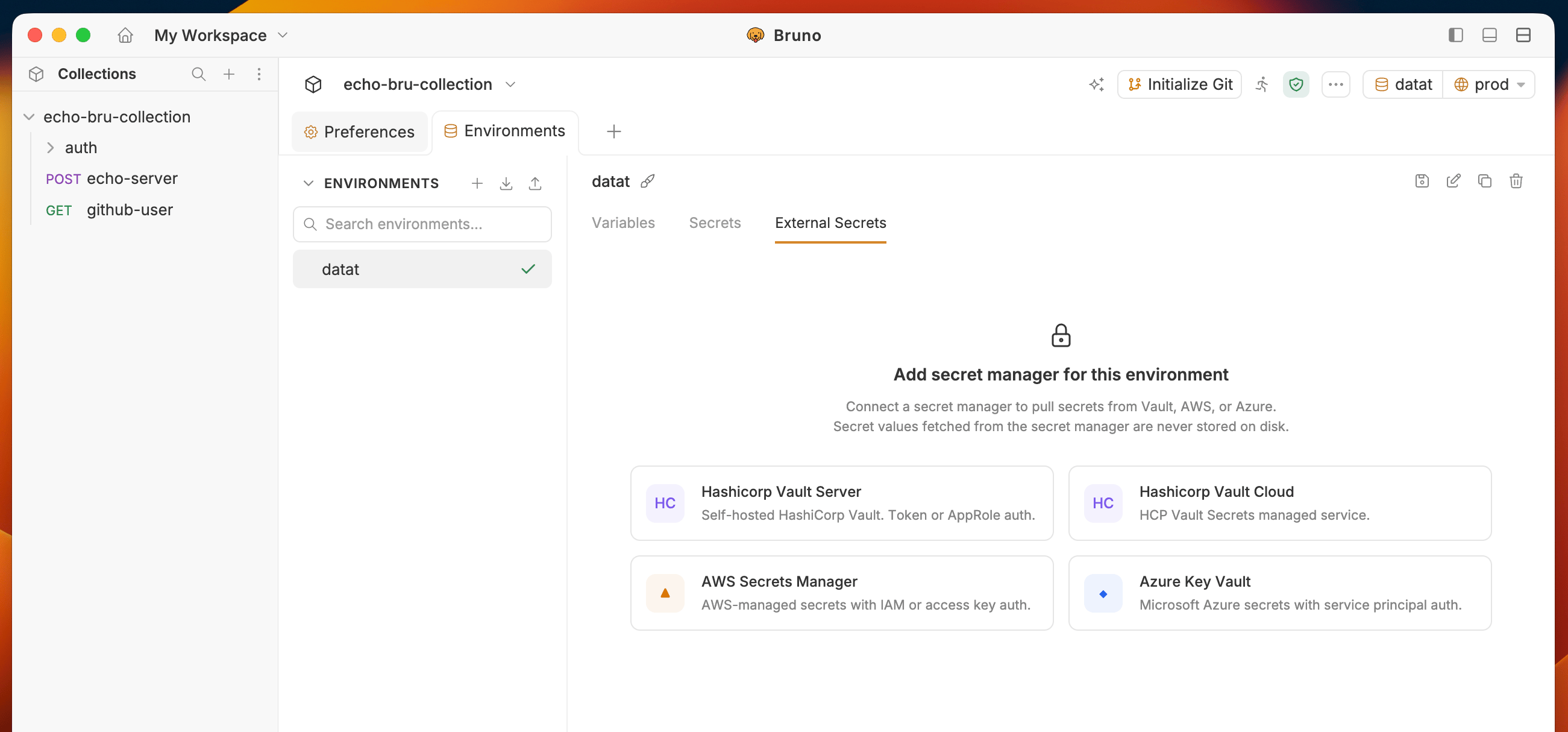 2. You will see the configured **Secret Manager** accounts list from **Preferences** settings. Select **Azure Key Vault** account you want to use.
* To learn more about [Azure CLI Authentication](/secrets-management/secret-managers/azure-key-vault/cli-authentication)
2. You will see the configured **Secret Manager** accounts list from **Preferences** settings. Select **Azure Key Vault** account you want to use.
* To learn more about [Azure CLI Authentication](/secrets-management/secret-managers/azure-key-vault/cli-authentication)
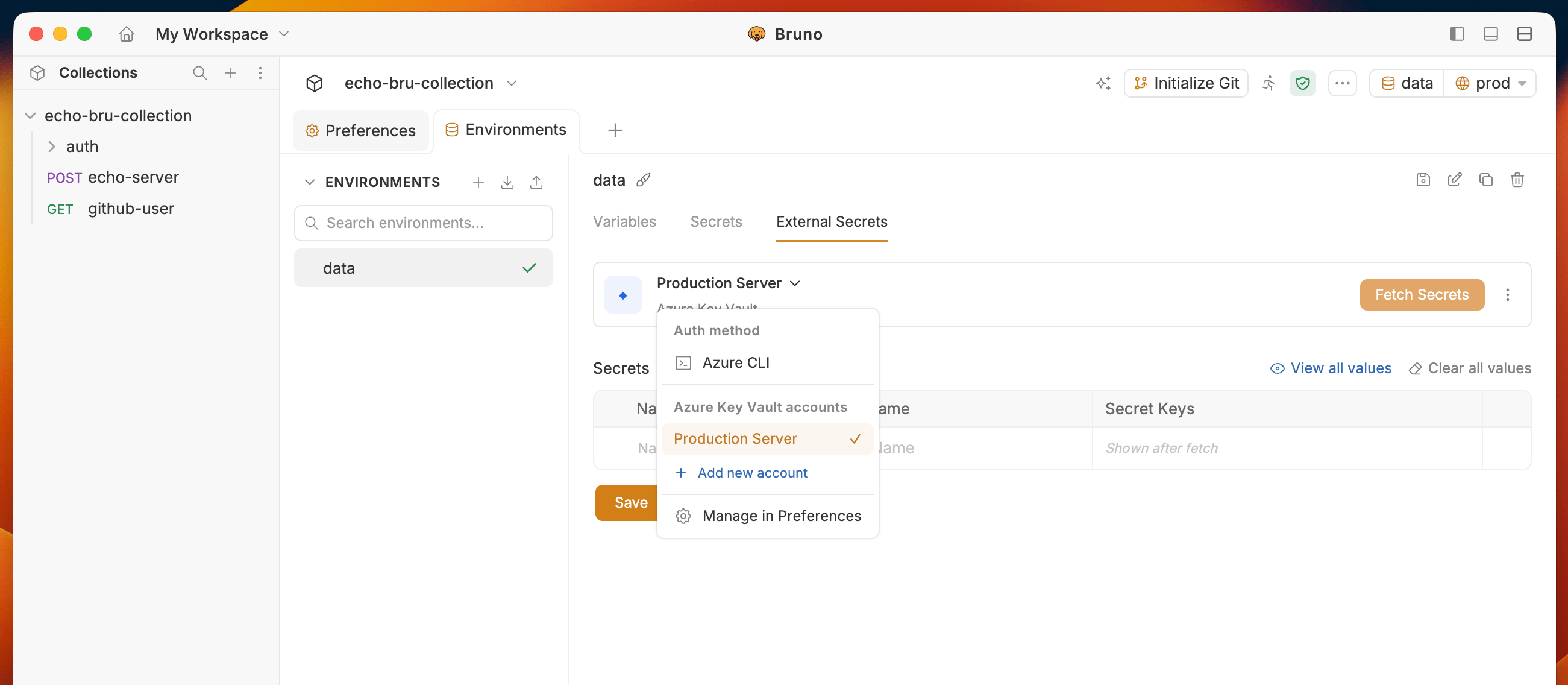 3. Enter a **Name** and the **Vault Name** for the secret you want to fetch.
* **Name** - the alias used to reference the secret in Bruno, e.g. `apiCredentials`
* **Vault Name** - the name of the Azure Key Vault instance, e.g. `my-company-vault`
4) Click the **Fetch Secrets** button in the top-right corner.
5) The fetched secret keys and their values appear in the **Secret Keys** column.
Use three dots menu to:
* **Edit account** to edit the account details
* **Remove secret manager** to remove the secret manager configuration
3. Enter a **Name** and the **Vault Name** for the secret you want to fetch.
* **Name** - the alias used to reference the secret in Bruno, e.g. `apiCredentials`
* **Vault Name** - the name of the Azure Key Vault instance, e.g. `my-company-vault`
4) Click the **Fetch Secrets** button in the top-right corner.
5) The fetched secret keys and their values appear in the **Secret Keys** column.
Use three dots menu to:
* **Edit account** to edit the account details
* **Remove secret manager** to remove the secret manager configuration